Set policies by organization, team, and user, connect your identity provider, and see activity in real time, with auditable logs and custom alerts.
Security teams need to know how AI is being used across the organization, and to prove it when anyone asks. Liminal applies your policies to every interaction and records each one, so you can show who used which model, when, and what was protected.
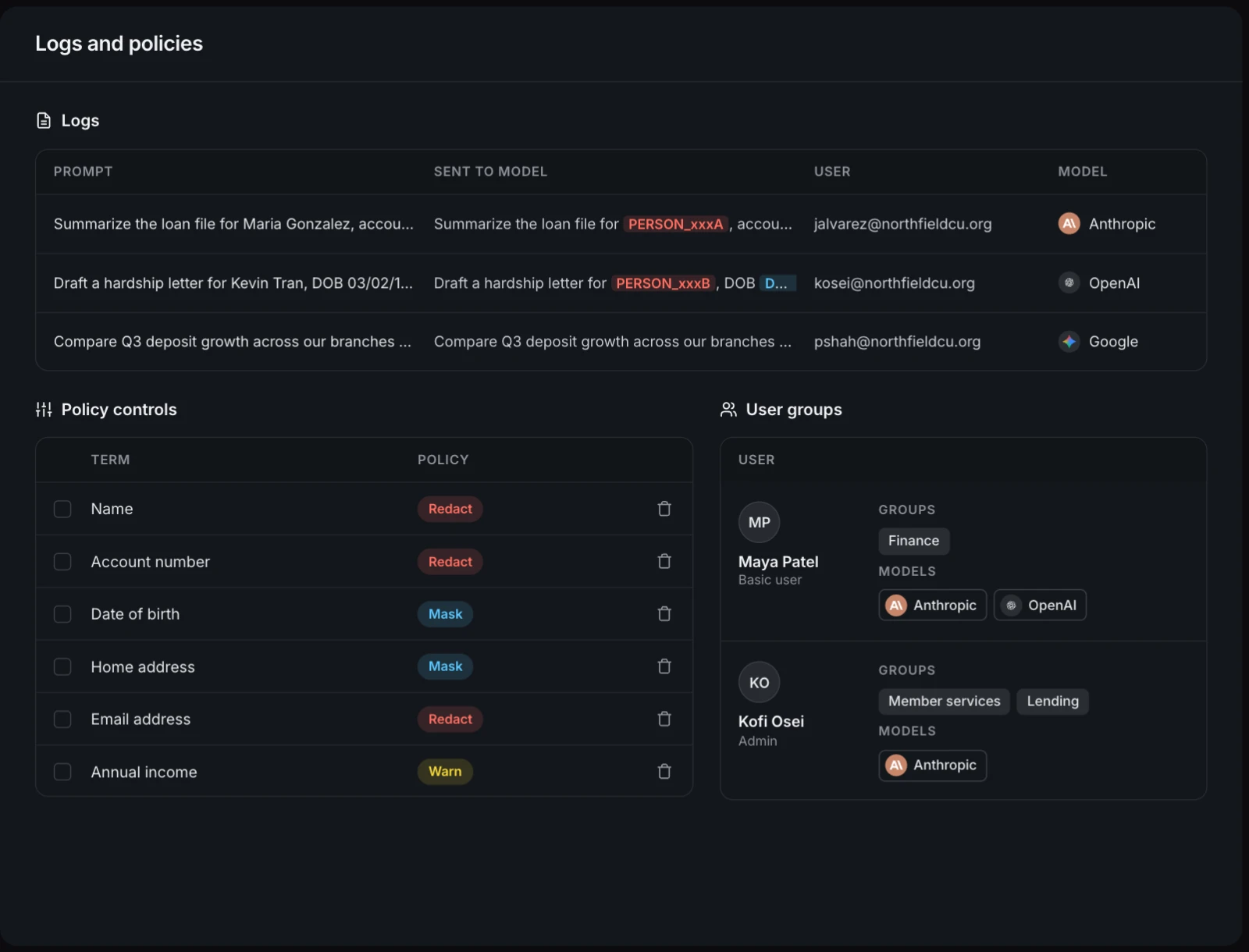
Set how each type of sensitive data is treated, control which roles and groups can use which models, and review a full log of every prompt and how it was protected.
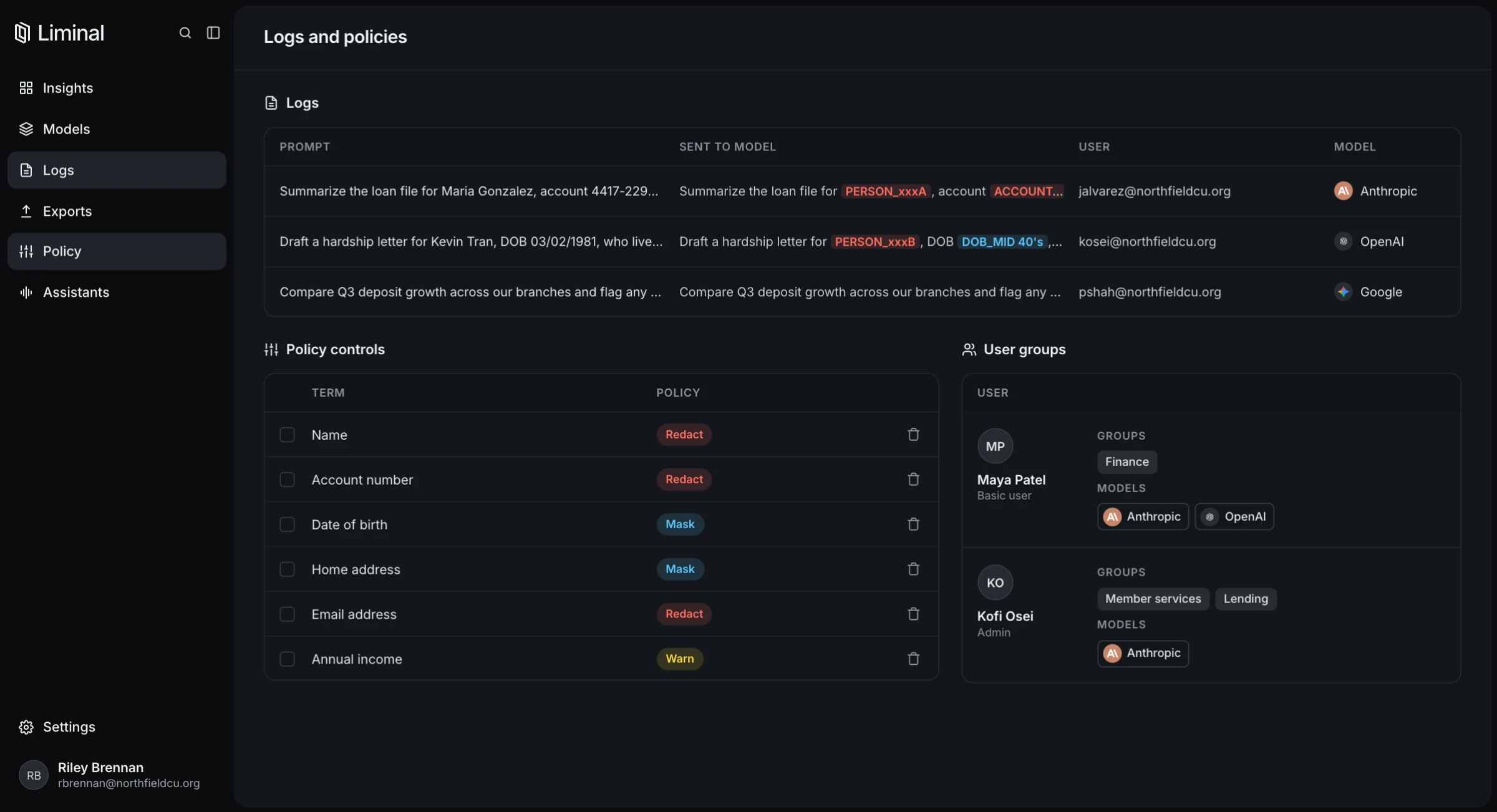
Liminal inherits the teams, groups, and permissions you already manage, so there's nothing to rebuild. People sign in with the credentials they already use.
Role-based access control, including custom roles, lets you decide who can use which models and who can manage what. Granular security controls let you decide how each type of sensitive data is treated, down to the team and user.
Streaming logs and custom alerts show how AI and your data are being used, and flag sensitive data events as they're detected.
Auditable logs give security, compliance, and audit teams a complete record.
Governance shows how AI is used. Insights shows what it's worth.
Liminal supports single sign-on through SAML 2.0 with any compliant identity provider, including Microsoft Entra ID, Okta, and Ping Identity.
Yes. Each model can be assigned to the whole organization, specific teams, or individuals, and each one can carry its own data protection policies.
Yes. Admins can export prompt and activity logs on demand or on a schedule, so a copy lives in your own storage under your own retention policy. Download logs as CSV, JSON, or XML with keyword and date filters, or schedule automatic exports to AWS S3, Azure Blob Storage, or Google Cloud Storage every 15 minutes, hourly, or daily. Your SIEM or BI tools can pick them up from there.
Yes. Liminal sends email alerts when chosen types of sensitive data appear in prompts. Scheduled log exports can be ingested into security tools such as a SIEM from your cloud storage.
Tell us about your team and we'll show you how Liminal fits your environment.
