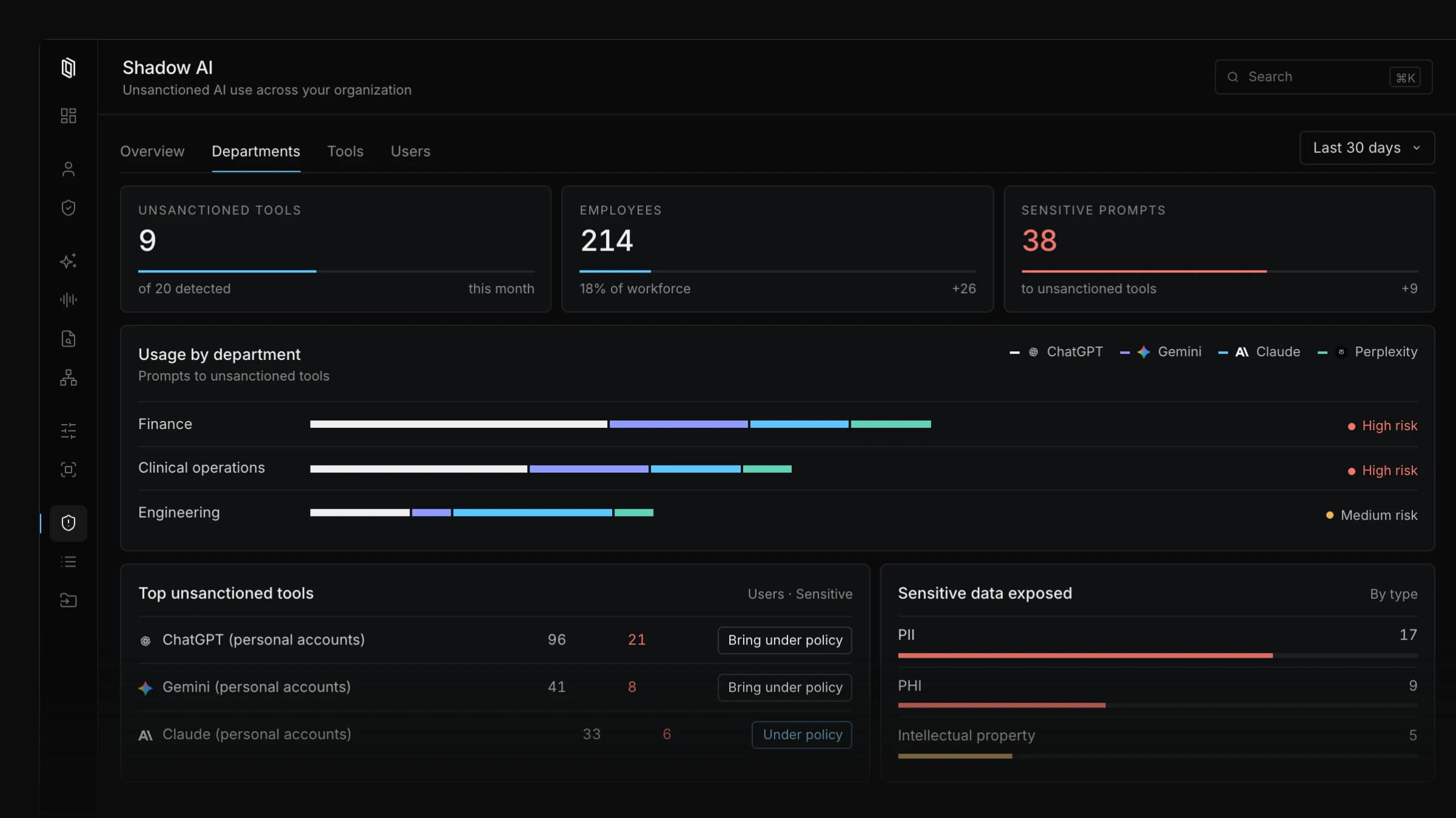
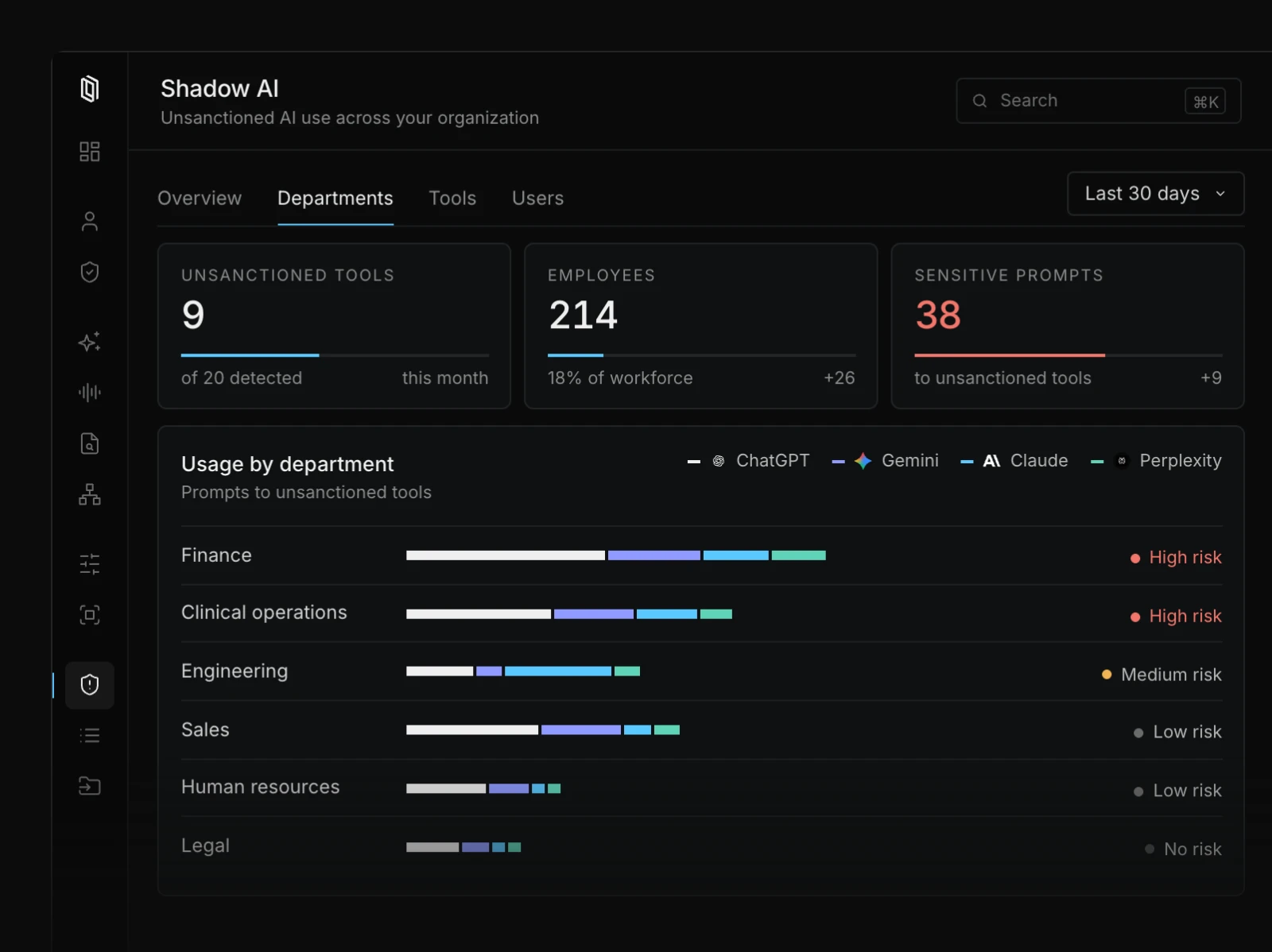
Liminal's browser extension detects shadow AI across your organization, showing which tools employees use and where sensitive data is at risk.
Blocking AI tools rarely holds. People find another way, and the usage moves somewhere you can't see. Lasting prevention takes two things: knowing where AI is already in use, and giving people a secure option they prefer. Liminal does both.
See which AI tools are in use, who's using them, and where sensitive data is exposed.
Roll out the Liminal browser extension across your organization through your existing browser management tools.
The extension identifies AI tools as employees use them, including personal accounts of popular assistants.
Usage by tool, department, and user, with sensitive data exposure flagged.
Move employees to Liminal's governed workspace, with the same leading models and protection built in.
Once you know where AI is in use, Liminal gives employees a better option: leading models in one workspace, with sensitive data protected and every interaction governed.
Shadow AI is any AI tool employees use for work without their organization's approval or oversight. Common examples are personal ChatGPT accounts, free browser assistants, and AI features built into everyday apps. Prompts sent through these tools leave the organization with no record, no policy applied, and no way to audit them later.
Anything an employee pastes into an unsanctioned AI tool leaves the organization's control, including customer records, health information, financial data, and source code. Once it's sent, there's no way to see it, audit it, or apply policy to it. Liminal protects PHI, PII, PCI, and IP before any prompt reaches a model, and every interaction is logged.
Most people turn to unsanctioned AI because it helps them get work done and the approved option is missing or falls short. Banning AI tends to push usage out of sight rather than stop it. Giving people a sanctioned tool that's at least as good as what they'd find on their own works better.
Liminal identifies and logs unsanctioned AI use, and your team decides what to block. Liminal’s browser extension recognizes when AI tools your organization hasn’t approved are used, and logs that activity so admins can see which tools are in use and how often. To block a tool, use the security tools you already have, such as Zscaler, Netskope, or DNS filtering. Liminal provides the list of AI tool URLs and redirects people to Liminal, so their work stays in a sanctioned tool.
Tell us about your team and we'll show what Liminal can see in your environment.
